Alternatives — NVR migration
Alternative to a Hikvision NVR: Migrate the Recorder, Keep the Cameras
The recorder is the cheapest layer of a CCTV system to change and the one most often left out of a migration plan. Existing IP cameras that publish a standard ONVIF, RTSP or GB28181 stream can register on a new recorder over the network, which means you can replace recording, storage and remote access without touching a camera on the wall. This page is the practical version of that job, from channel counting to the overlap period.
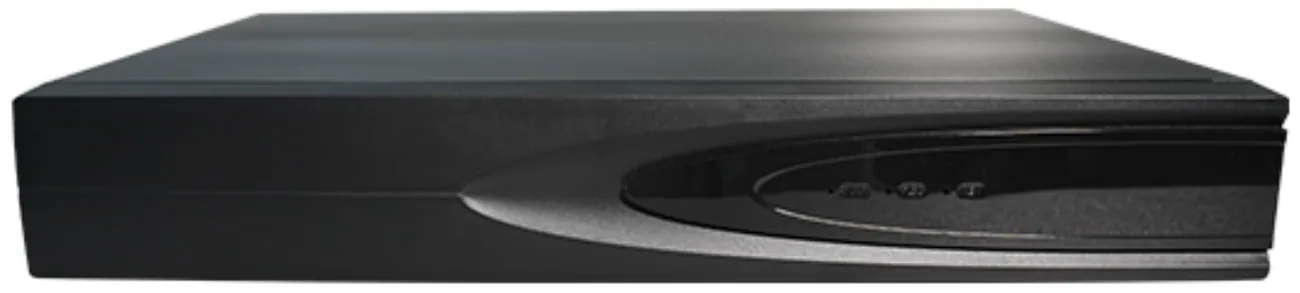
- Keep existing IP cameras — onboard over ONVIF, RTSP or GB28181
- 10, 16, 32, 49 and 64-channel recorders, 1 to 8 bays
- Up to 14 TB or 18 TB per drive, H.265+ compression
- 4K HDMI out, 1/2/4/6/8/9/10/16 split layouts, up to 38 users
Why the recorder is the migration entry point
“Brand plus channel count” is how a huge number of real projects get renewed — a search like “Hikvision 16 channel NVR” rather than “new camera system”. A building has sixteen cameras, the recorder reaches the end of its support life, and somebody needs a replacement box rather than sixteen new positions. That search pattern is not an accident — the recorder is where the account, the app, the retention period and the remote access all live, and it is one box in a cabinet rather than sixteen positions on a ladder.
So the economics are simple. Replacing cameras means access equipment, cable work, repositioning and re-aiming, and it disturbs the building. Replacing the recorder means one cabinet visit, one configuration, and the cameras you already own keep doing their job. If the camera images are acceptable for what they are used for, the recorder-first route is the one that spends the least to fix the actual problem.
What carries over, and what does not
This route is only credible if the answers are honest, so here they are in two lists.
- Carries over: the video streams from cameras that publish ONVIF, RTSP or GB28181; the PoE switching and the CAT6 cabling; the camera lenses, fields of view and mounts; the resolution and bitrate settings already configured on each camera; the site’s recording schedule as a requirement, even if it is re-entered on the new recorder.
- Carries over with a check: motion detection and event triggers. If a camera publishes ONVIF events the recorder can use them; if it does not, motion detection is configured on the recorder side instead, which is usually fine but changes which channel the alert belongs to.
- Does not carry over: the recorder’s own user accounts, recording schedule, alert rules and saved views, which are configured fresh; any analytics or licences held inside the old recorder; and the single-app convenience if some cameras end up on one platform and some on another.
- Does not carry over at all: footage stored on the old machine. It stays there, and it should be exported before decommissioning if you may need it — a proprietary archive can be hard to read once the platform that wrote it has gone.
What the recorder range covers
- Compression: H.265+ / H.265 / H.264, so an existing camera’s H.265 stream records without transcoding.
- Access bandwidth: 64 Mbps, which covers a full complement of 5 MP channels at typical H.265+ bitrates.
- Display: HDMI at 4K 3840 × 2160 and VGA at 1920 × 1080, with 1/2/4/6/8/9/10/16 split layouts on the output.
- Network: TCP/IP, IPv4, DHCP, NTP, RTSP, P2P, SMTP, GB28181 and ONVIF, which is the list that decides whether your existing cameras can be onboarded.
- AI detection on the recorder side: face, number plate, humanoid, vehicle and falling-object detection.
- Users: up to 38 local accounts, so departments do not have to share a login.
- Power: external adapter with a DC 12 V 4 A output on an AC 100–240 V input, rated under 3 W without a drive.
- Environment: −10 ℃ to +55 ℃, which is inside the range of an unconditioned comms cabinet.
| Model | Channels | Drive bays | Maximum per drive | Typical fit |
|---|---|---|---|---|
| NVR10-1-2 | 10 | 1 | 14 TB | Small buildings, shops, offices, a single floor of cameras |
| NVR16-1-2 | 16 | 1 | 14 TB | The common case: one switch, sixteen positions, one cabinet |
| NVR32-2-2 | 32 | 2 | 18 TB | Mid-size sites and buildings with two switching points |
| NVR49-4-2 | 49 | 4 | 18 TB | Campuses, industrial parks, sites with phased growth |
| NVR64-8-2 | 64 | 8 | 18 TB | Large estates and control-room installations |
Do the storage maths before you choose the box
Channel count is the easy number and retention is the expensive one. Work out the days first, then pick the model. One 5 MP channel at H.265+ uses roughly 8–15 GB per day depending on how much motion crosses the frame, so sixteen channels for thirty days lands around 4–7 TB.
That sits comfortably on a single 14 TB drive in the 16-channel model. Sixty days would want a smaller resolution on some channels or the two-bay model; ninety days across 32 channels is a multi-bay conversation. The multi-bay models accept up to 18 TB per drive, so the arithmetic is usually about bays rather than drive sizes. Add headroom for the cameras you will add later — the sixteenth camera is always the one that arrives six months after handover — and remember that a recorder running at full channel count with a nearly full drive is the one nobody wants to troubleshoot.
Retention is set by the stream you record, not only by the drive: recording the sub-stream at 50–2000 kbps instead of the main stream at 500–8000 kbps multiplies retention, at the cost of the detail you review. Decide per channel rather than globally.
The migration, in order
- Inventory the cameras: model, resolution, compression, firmware, IP address and whether each one shows an ONVIF or RTSP option in its configuration pages.
- Note the credentials for every camera before anything changes, and confirm you can reach each one from a laptop on the same network.
- Count channels with headroom — the number of cameras you have, plus the ones you know are coming.
- Decide retention in days, convert it to terabytes per channel, and only then pick the model and the drives.
- Decide the remote-access route: P2P and NAT traversal need no fixed IP and no port forwarding, while port-mapped access needs both.
- Bench-test the new recorder with three or four cameras before it goes into the cabinet — resolution, night mode, timestamps and playback.
- Run both recorders in parallel for the retention overlap, so there is no gap in coverage on the days that matter most.
- Decommission the old recorder last, after the exported clips have been checked on a machine that is not part of the old system.
Where this route does not work
The recorder-first migration is the right answer often, not always. These are the cases where we will tell you to look at the camera layer instead:
- Analogue cameras. If they are not IP, there is no stream to onboard, and this range does not include the encoder layer that would be needed.
- Cameras that are locked to a proprietary protocol and publish nothing standard. Test before you commit: if you cannot open a stream from a laptop, the recorder will not either.
- Systems whose analytics live in the recorder and are part of your operation — people counting, ANPR workflows or licence-plate actions that your staff act on daily. The recorder supports face, plate, humanoid, vehicle and falling-object detection, but a workflow built around a specific platform’s reports may need rebuilding.
- Sites whose cameras are also at the end of their life. Replacing the recorder and then replacing every camera six months later means two commissioning visits and two disruptions for one outcome.
- Any site where the camera count exceeds the access bandwidth or channel count you are considering. Do not buy a 16-channel recorder for 16 cameras and no growth, and do not assume a larger channel count is free.
One rule we hold to on every page like this: we publish our own specifications and pricing; we do not publish claims about other manufacturers’ products that we cannot document. That is why this page explains how onboarding works rather than predicting which of your devices will be accepted — the model list and the stream test are the only reliable answers, and we will do both before you commit.
Three scopes for a recorder-led migration
Recorder only, cameras untouched
The quickest and cheapest route. Cameras are onboarded over ONVIF, RTSP or GB28181, storage and remote access move to the new box, and nothing on the walls or in the ceilings is disturbed.
- Use when
- Sound IP cameras, an unsupported or failing recorder, and a need for a current client and a longer retention period.
- Not when
- Estates with analogue cameras or camera models that do not publish a standard stream — there, the camera layer has to move first.
Recorder now, cameras in phases
The recorder is bought with spare channels and spare bays, and cameras are replaced position by position as budgets allow or as units fail. The recorder becomes the stable centre while the estate changes around it.
- Use when
- Portfolios, occupied buildings and any project where disruption and capital both have to be spread over time.
- Not when
- Projects that need a single warranty path and one handover date — phasing multiplies both, and somebody has to own the mixed estate in between.
Recorder and switching together
The other layer worth replacing at the same time as the recorder. If the PoE budget was never added up, the new cameras and longer retention will expose it, and a switch swap is one cabinet visit rather than a second project.
- Use when
- Buildings where the switch is more than a few years old, where camera count is growing, or where long cable runs already push the 100 m limit.
- Not when
- Sites whose switching is new, correctly sized and documented — there is no reason to replace a layer that is already doing its job.
Frequently asked questions
What is an alternative to a Hikvision NVR?
Any recorder that accepts your existing cameras over ONVIF, RTSP or GB28181 and holds the channel count, retention and remote access you need is a genuine alternative, and there are several ways to reach one. What decides the outcome is not the replacement itself but the onboarding: whether each camera publishes a standard stream, whether it needs a channel licence, and whether the resolution and compression it produces fit the recorder’s access bandwidth. We publish a 10 to 64-channel range with one to eight bays and 64 Mbps access bandwidth, and we will check your camera list against it before you order. That check is the whole value of the exercise.
Can I use my existing Hikvision cameras with your NVR?
If they publish an ONVIF, RTSP or GB28181 stream, they can be onboarded — that is the mechanism, and it is brand-independent. We do not publish claims about another manufacturer’s firmware, so we will not guess which menu option appears on your camera. Instead we ask for the model list and firmware version, and we confirm from the stream profile whether it will register, what resolution and codec it will deliver, and whether motion events will reach the recorder. Send us the list and we will answer in writing before you buy, which is the only version of that answer worth having.
What should I look for in a 16-channel NVR alternative?
Five things. First, real channel count against camera count — sixteen cameras on a sixteen-channel recorder leaves no room for growth. Second, drive bays and maximum capacity: one bay at 14 TB covers roughly thirty days of sixteen 5 MP channels at H.265+, and sixty days does not fit. Third, access bandwidth, which decides whether sixteen high-bitrate streams record without dropping frames. Fourth, the output: 4K HDMI at 3840 × 2160 and VGA at 1920 × 1080, with split layouts from 1 up to 16. Fifth, users and remote access — up to 38 local accounts, and clients on iOS, Android and Windows so nobody has to stand in the cabinet room to review footage.
How many channels do I actually need?
More than you have cameras, always. Add the cameras in the design, then add the positions you know are coming — the entrance nobody has covered yet, the new loading bay, the extension on the second floor. Fifteen to twenty per cent headroom is a reasonable rule, which means fourteen cameras points at a sixteen-channel recorder and eighteen cameras points at thirty-two. The reason is not sales pressure: a recorder at 100 per cent of channel count is at its practical limit, and any addition means a new box and a second commissioning visit rather than one more licence or one more camera. Headroom is the cheapest part of the whole system.
Do I need to reconfigure the cameras themselves?
Usually not. Keep each camera’s IP address as it is — or set the addresses once, deliberately, rather than leaving DHCP to assign something different after a power cut — and configure the recorder to pull the stream to its channel. What you will re-enter is the recorder-side layer: recording schedule, motion zones, alert rules and users, because those live on the recorder rather than the camera. Two exceptions are worth knowing. If a camera has a vendor-specific stream path rather than a standard one, the recorder needs that path typed in. And if the camera’s timestamps or overlays were configured for the old platform, check them after onboarding.
Can the old and new recorders run at the same time?
Yes, and for most sites they should. Running both cameras to both machines during a transition gives you an overlap with no gap in coverage, which is exactly what you want while the new system is being trusted. The practical limits are bandwidth and access to the camera streams: a camera can usually serve two client sessions at once, but a switch close to its throughput limit will pass fewer concurrent streams than a lightly loaded one. Set the retention on both, keep the old machine until its own retention has expired, and only then take it out of service.
Will the app and client change as well?
Yes, because the client belongs to the recorder rather than to the cameras. Our recorders ship with Seetong Cloud clients on iOS, Android and Windows, and remote access runs over P2P with one-click NAT traversal, so no fixed IP address and no port forwarding are required. Seetong Cloud is the platform layer that ships with the range; it is not a brand you will see advertised, so treat it as the compatibility layer rather than as a brand of its own. That is the part of a migration most likely to cause operational friction, because it changes what your team opens every morning, so treat it as a small project of its own: confirm who needs an account, set roles before the handover, and keep the old client installed until everyone is confident. The app migration page covers this layer in full.
What about the footage already on the old recorder?
It stays there until the drive is wiped or the unit retires, and that has two implications. First, plan the overlap: keep the old recorder running until the retention window you care about has passed, so nothing that might be needed is lost in the changeover. Second, export important clips before the unit leaves site — a proprietary archive can be difficult to read once the platform that wrote it is gone, so make sure the exported files open on a machine that has nothing to do with either system. After that, the drive itself can be wiped or destroyed according to your data policy, and we can confirm the format restrictions of our own recorders before you plan that step.
Send us your camera list and retention target
Tell us the camera models, the channel count you need and how many days you must keep. We will confirm which cameras onboard cleanly, which models fit, and what the storage arithmetic looks like before you commit.