Cameras
PoE IP Cameras for Building Surveillance
Bullet, dome and PTZ cameras on one 5 MP full colour low-light platform, powered over PoE and cabled with CAT6 so the whole floor shares one switch and one cable run.
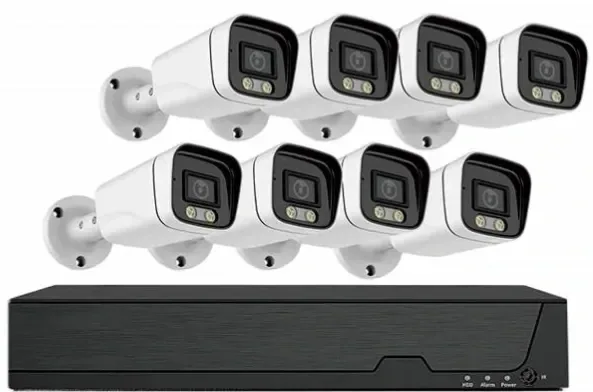
- 5 MP on every form factor
- PoE powered, one cable per camera
- Colour at 0.1 Lux without extra lighting
- ONVIF, RTSP and GB28181
Why one platform matters more than one good camera
A building rarely needs one kind of camera. The entrance needs a form that reads faces at eye level, the car park needs wide coverage that is hard to reach and hard to smash, the loading dock needs to follow a vehicle, and the lift car needs something flush that survives the door closing on it. If each position comes from a different platform, you end up with four apps, four password sets and four firmware paths.
Every camera on this page shares the same 5 MP sensor, the same F1.0 optics, the same H.265+ encoder and the same ONVIF / RTSP / GB28181 interface. That means one recorder, one client and one night-vision behaviour to learn — and it means a dome added in year three behaves exactly like the bullet installed on day one.
Which form goes where
- Bullet — perimeter, fence line, car park edges and long corridors. Aimed, obvious, and a deterrent in its own right.
- Dome — lobbies, corridors, retail floors and reception. The direction is not obvious from the floor, which is usually what you want indoors.
- PTZ — large yards, loading areas and multi-lane access roads where one camera has to cover a moving target over distance.
- Vandal-resistant housing — lift lobbies, car parks, stairwells and any position at arm's reach. The housing is a separate selection from the camera.
- Board-level module — OEM and integrator builds where the camera goes inside your own housing, and a 38 × 38 mm board is what fits.
PoE and cabling: the arithmetic that decides the switch
Each camera takes one CAT6 run and draws power from the same cable that carries its video, so the switch does double duty. Standard PoE carries power and data 100 m, which covers most floors if you place the switch in the floor's communications room rather than at the far end of the building. Where a run genuinely exceeds 100 m — a car park barrier, a distant gate house — an extend-mode port carries 10 Mbps and power up to 250 m instead of adding a mid-span device.
Budget the switch by wattage, not just by port count. Our 8, 16 and 24 port models carry 120 W, 250 W and 320 W class budgets. Add up the draw of every camera on the switch, allow roughly 25 percent headroom, and pick the model above that number.
What the low-light specification actually buys you
Every camera here is rated to 0.1 Lux in colour at F1.0, and to 0 Lux in black and white with the fill light on. In practice that means a lit car park, a corridor with emergency lighting or a street with intermittent lamps stays in colour, so clothing, vehicle paint and signage remain recognisable in the recording.
It is worth being precise about the limit: below 0.1 Lux the camera still works, but it falls back to its own illumination and to black and white. If your site has genuinely no light at all, read the night vision comparison pages before you specify, and ask us for sample footage from a comparable position.
Camera range
FC5B
standardBullet — perimeter, fence line and long outdoor runs.
- Form
- Bullet
- Resolution
- 5 MP, 2880 × 1620
- Build
- 38 × 38 mm board module
FC5D
standardDome — interiors, lobbies and vandal-resistant positions.
- Form
- Dome
- Resolution
- 5 MP, 2880 × 1620
- Build
- 38 × 38 mm board module
FC5P-PTZ
flagshipPTZ speed dome — yards, docks and multi-lane access.
- Form
- PTZ speed dome
- Resolution
- 5 MP
- Build
- Complete unit, IP66
Housings, brackets and lenses are selected per project. Tell us the mounting surface and the height and we will confirm the combination.
Selection guide
| Requirement | Bullet (FC5B) | Dome (FC5D) | PTZ (FC5P-PTZ) |
|---|---|---|---|
| Best position | Perimeter, fence, open ground | Lobby, corridor, retail floor | Yard, dock, multi-lane access |
| Coverage style | Fixed, aimed once | Fixed, wide and discreet | Moving target over distance |
| Fitting height | 2.5–5 m | 2.4–4 m | 4–8 m |
| Vandal resistance | Housing dependent | Housing dependent | Housing is part of the unit |
| Cabling | One CAT6 run, PoE | One CAT6 run, PoE | One CAT6 run, PoE |
Frequently asked questions
Do these cameras need a separate power cable?
No. All three forms run on PoE, so one CAT6 cable carries both data and power. That removes the need for a local mains socket at each position, which is usually the single biggest saving in a building installation because you no longer need an electrician at every camera.
Which camera should I use in a lift car?
A dome module in a low-profile housing, mounted in the corner opposite the door. It needs to be flush, it needs to survive being hit, and it should not draw attention. See the elevator camera page for the cable routing, vibration and vandal points that decide the installation.
Can I mix camera forms on one recorder?
Yes, and most buildings do. Because every camera here shares the same compression and the same ONVIF / RTSP interface, a recorder does not care which form a channel comes from. What you should keep consistent is the resolution and frame rate, so storage planning stays predictable.
What is the difference between the board module and a finished camera?
The FC5B and FC5D are 38 × 38 mm board-level modules, which is what OEM builders and integrators want when the camera goes inside a housing they supply. They carry no ingress protection rating of their own — protection comes entirely from the housing you choose. The FC5P-PTZ is a finished unit with its own IP66 rating.
Will these cameras work with a recorder I already own?
They support ONVIF, RTSP and GB28181, so they will register on most third-party recorders. What you give up when mixing brands is the convenience layer rather than the video: one app, one user list and one firmware path. Tell us the recorder model and we will confirm the integration before you order.
How do you handle privacy where cameras overlook neighbouring property?
Privacy masking is configured in the camera or recorder so defined areas are blanked in both the live view and the recording. On apartment and hotel projects we also keep the number of cameras in genuinely private areas to a minimum, and put the rest on circulation routes. Who may view footage, and for how long it is kept, is a policy decision we will help you document.
Plan Your CCTV or Video Wall Project
Send us the building type, floor count and camera estimate — we will come back with a system layout, a bill of materials and a price.