Video wall · Layouts
2x2, 3x3 and 4x4 Video Wall Layouts
How to choose the layout before you buy anything: panel count, viewing distance, card arithmetic and the number of streams one operator can genuinely watch.
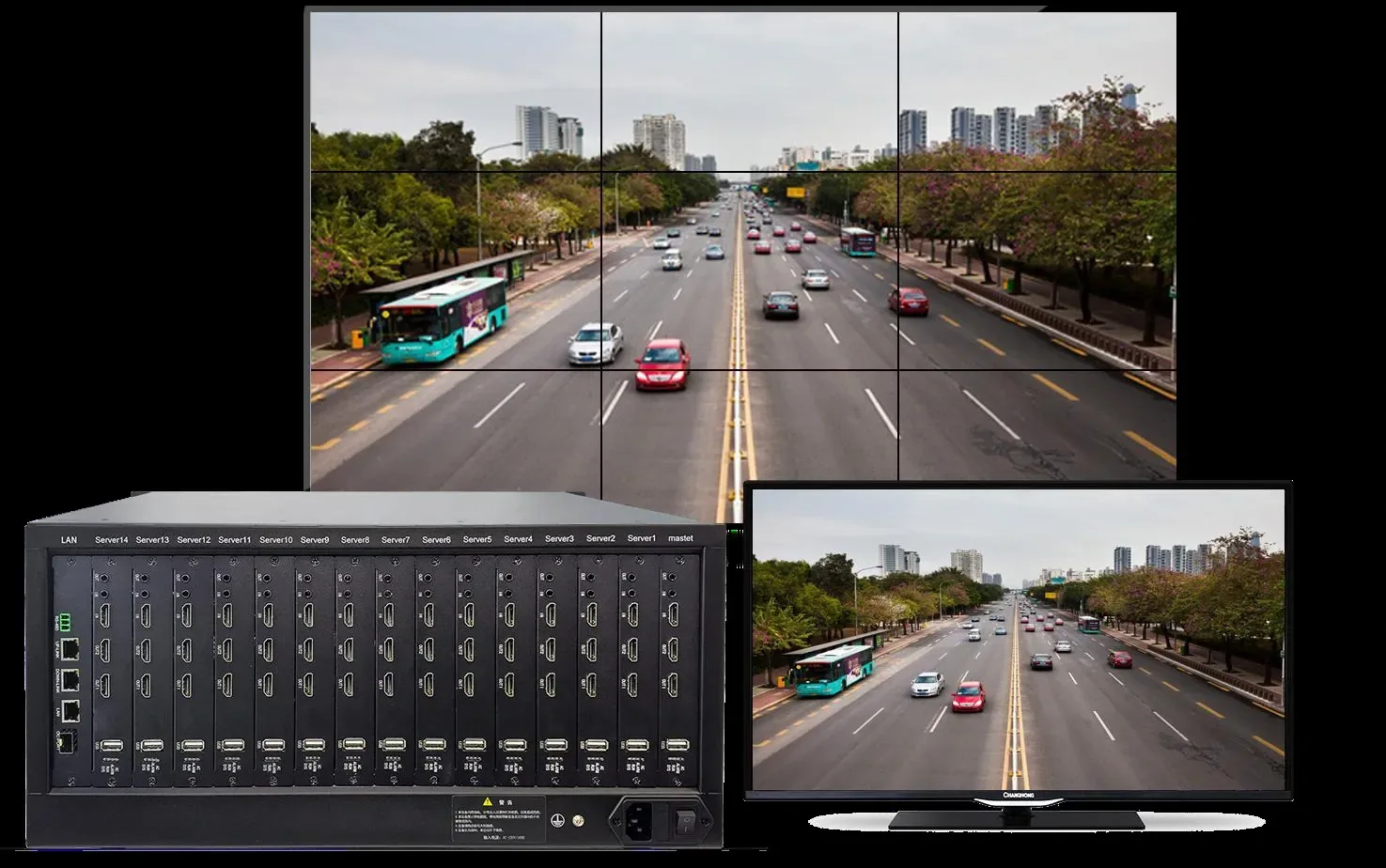
- Panel and card arithmetic
- Viewing distance guidance
- Seam and bezel considerations
- Layout chosen around the task
The arithmetic, before any product choice
The card figures follow from the hardware: each decoding card carries two HDMI 2.0 outputs at 4K@60Hz, so each card addresses two panels or two spliced groups. A 14-slot chassis therefore holds a 4×4 wall with six slots left for input cards or later expansion.
The wall width figures assume 55-inch panels and scale with the panel you choose. They are there to tell you whether the room can physically take the layout before you commit to it — a 4×4 wall is around five metres wide and needs a room that can be viewed from at least that distance.
| Layout | Panels | Total resolution at 1080p panels | Decoding cards | Wall width at 55-inch panels |
|---|---|---|---|---|
| 2×2 | 4 | 3840 × 2160 | 2 | Approx. 2.5 m |
| 3×3 | 9 | 5760 × 3240 | 5 | Approx. 3.7 m |
| 4×4 | 16 | 7680 × 4320 | 8 | Approx. 5.0 m |
Viewing distance sets the minimum panel size
If the operator sits too close to a large wall, individual panels become visible and the mosaic effect is distracting. If the room forces a long viewing distance, small panels become unreadable and the wall turns into decoration.
A workable rule for 1080p panels is a viewing distance of roughly 1.5 to 2 times the panel height for detailed work, and 3 times the panel height for comfortable overview. Work backwards from the room: measure the distance from the operator position to the wall, apply the rule, and let that set the panel size and therefore the layout.
Bezel width matters more than it appears in the arithmetic. Narrow bezels make a spliced image look continuous; wide bezels fragment it, which changes whether the layout is genuinely usable for a single large view or only for separate tiles.
Choose the layout from the operator task
Two operators watching a whole site do not need the same wall as one operator following a specific incident. The first needs many tiles at readable size and does not care about splicing; the second needs the ability to throw one feed across four panels immediately.
A practical approach is to assign roles to zones. A permanent zone for the things that must never be off the wall — the main gate, the entrance, the loading dock. A rotating zone for the rest. A large-format zone that any operator can push an incident into. That structure usually lands on a 3×3 or a 4×4 with an irregular layout rather than a plain grid.
Planning for the second phase
Walls rarely arrive complete. A building project may install 2×2 in phase one and expand to 4×4 when the second building comes online. A modular chassis absorbs that by accepting more cards, and the mounting structure should be chosen with the final wall size in mind even if only some panels are fitted initially.
Leave the wall structure oversized and the chassis partially populated. The alternative — a fixed 2×2 controller that cannot be expanded — means replacing the signal layer at the same time as buying more panels, which is the most expensive way to grow a control room.
Selection guide
| Situation | Recommended layout | Why |
|---|---|---|
| One operator, a handful of critical views | 2×2 | Four large readable views; splicing available on demand; lowest cost. |
| Small control room, several zones | 3×3 | Enough tiles for zone coverage with a centre view large enough to read. |
| Command centre, continuous monitoring | 4×4 | Rotating tiles plus a large-format incident zone without losing status views. |
| Second phase already planned | 3×3 structure, 2×2 populated | Structure and chassis sized for the final wall; panels added later. |
Frequently asked questions
How do I decide between 2x2, 3x3 and 4x4?
Start with the operator task and the room. Count how many streams one operator can genuinely watch, measure the distance from the operator position to the wall, and let those two facts set the panel size and the tile count. A 2×2 with four readable views is more useful than a 4×4 of unreadable tiles, and it costs considerably less.
How many decoding cards does each layout need?
Roughly two for a 2×2, five for a 3×3 and eight for a 4×4, because each card carries two 4K@60Hz HDMI outputs. In a 14-slot chassis a 4×4 wall leaves six slots for video input cards or future expansion, which is the reason to choose a modular chassis rather than a fixed-output controller.
What viewing distance does a video wall need?
For 1080p panels, roughly 1.5 to 2 times the panel height for detailed work and about 3 times the panel height for comfortable overview. Work backwards from the room: the distance from the operator position sets the panel size, and the panel size sets the layout that fits the wall.
Do bezels really matter?
Yes, and more than most buyers expect. Narrow bezels make a spliced image read as one picture, which is what you want when an incident is enlarged across four panels. Wide bezels fragment the image. If splicing a single view across multiple panels is a core requirement, bezel width is a primary selection criterion rather than a cosmetic one.
Can I start with 2x2 and expand later?
Yes if the chassis and the mounting structure are sized for the final wall from the start. A modular chassis accepts additional cards, so the signal layer grows without being replaced. Structure the mounting frame for the final panel count even if only part of it is populated in phase one.
How many streams can one operator actually watch?
In practice, four to nine at a size where a person is recognisable. Beyond that the wall becomes a status display rather than a working surface, and the useful design decision becomes which few views stay permanent and which rotate. That decision determines the card count more than the total camera count does.
Plan Your CCTV or Video Wall Project
Send us the building type, floor count and camera estimate — we will come back with a system layout, a bill of materials and a price.