Recording · 16 channel
16-Channel NVR — NVR16-1-2
Sixteen channels with one drive bay and 4K HDMI output — the recorder that matches a single commercial floor, and the size most building projects actually buy.
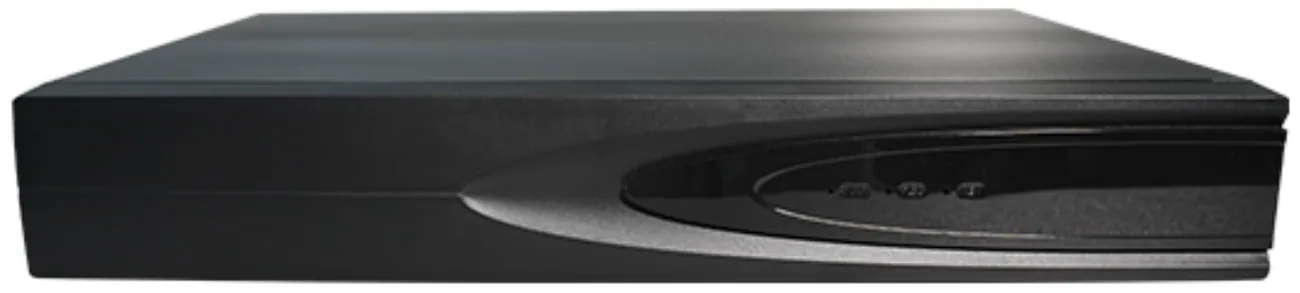
- 16 channels, 64 Mbps
- H.265+ / H.265 / H.264
- 4K HDMI output
- Up to 38 local users
What sixteen channels covers
A sixteen channel recorder matches one commercial floor: a lift lobby, the stair doors, the corridor runs and the entrance group. It is also the right size for a clinic, a school building, a mid-size retail site or a single building on a multi-building campus where each building records locally.
The constraint to respect is the single drive bay. One bay is generous for a fifteen-day retention policy and tight for a thirty-day policy at full resolution on all sixteen channels. If thirty days is a requirement, plan the frame rate and resolution per channel deliberately rather than hoping it fits.
Storage planning for sixteen channels
At 5 MP with H.265+ and a continuous thirty-day policy, sixteen channels need roughly 4 to 7 TB before overhead. That fits a single 14 TB bay with room for growth, and it also fits comfortably if you record the perimeter at a lower frame rate and only the entrance and till at full rate.
If the site has genuinely no budget for storage and a long retention requirement, the honest answer is to reduce the number of channels recorded continuously rather than to lower the resolution across the board. A low-resolution recording of every position is less useful than a high-resolution recording of the positions that matter.
Fitting an existing building
The recorder accepts ONVIF, RTSP and GB28181 streams, so it will record cameras that are already installed. That makes it the natural choice when a building has working cameras and a recorder at end of life — swap the recorder, keep the cameras and the cabling.
It also supports up to 38 local users and a client on iOS, Android and Windows, so operators, management and the security contractor can each have appropriate access without sharing an account.
Model
NVR16-1-2
standard16 channels, 1 drive bay up to 14 TB, 4K HDMI, 64 Mbps incoming.
- Channels
- 16
- Drive bays
- 1, up to 14 TB
- Bandwidth
- 64 Mbps
One SATA bay plus an eSATA interface for external backup storage.
Technical specifications
NVR16-1-2 technical specifications
| System Structure | Embedded LINUX, pure hardware decoding, Watchdog, HDMI HD display |
|---|---|
| Video Input | 16-channel HD IPC access; supports dual-stream, auto-search, and auto-add |
| Access Bandwidth | 64Mbps |
| Video Decoding | H.265+ / H.265 / H.264 |
| Local Playback | Supports 2-ch (5Mp @ 30fps) local playback |
| HDMI Output | Supports 4K 3840×2160,2560×1440,1920×1080,1440×900,1366×768,1280×1024,1280×800,1024×768 |
| VGA Output | 1920×1080,1440×900,1366×768,1280×1024,1280×800,1024×768 |
| Layout Mode | 1 / 2 / 4 / 6 / 8 / 9 / 10 / 16 screen layouts |
| Recording Res. | 4K / 5MP / 4MP / 3MP / 1080P / 960P / 720P |
| Audio Interface | 1* 3.5mm 4-pin jack (In/Out); 1* 3.5mm 3-pin jack (In) (1-channel input: 3.3V / 1kΩ impedance; 2-channel output: 2.8Vp-p / 32Ω min impedance; 1-channel GND); Standard G.711 codec; supports audio and video recording; supports HDMI audio output; supports audio and video preview and playback via the Seetong client. |
| Audio Processing | G.711 standard; supports AV sync, dual-way audio, and Seetong remote audio |
| HDD Interface | 1 SATA Interfaces*; Supports up to 14TB per disk |
| External Storage | 1 eSATA interface*; Support for external USB HDDs and U-disks for backup |
| AI Smart Detection | Supports: Face, License Plate, Humanoid, Vehicle, High-altitude Parabolic |
| Alarm Linkage | Supports Motion Detection, IO Alarm, and AI-triggered recording |
| User Management | Supports up to 38 local users |
| Network Interface | 2 RJ45 LAN RJ45 Ethernet interface, supports 10/100/1000M auto-negotiation; LAN2 RJ45 Ethernet interface, supports 10/100M auto-negotiation; |
| Protocols | TCP/IP, IPv4, DHCP, NTP, RTSP, P2P, SMTP, GB28181, ONVIF |
| USB Interface | 1* USB 3.0 (Rear); 1* USB 2.0 (Front) Supports mouse input, USB upgrades, and data import/export. |
| Software | Seetong Cloud (iOS, Android, Windows Client) Supports preview/recording/forwarding/remote service, and alarm linkage. |
| Power Supply | AC 100~240V (50/60Hz) with Adapter DC12V 4A |
| Power Consumption | < 3W (Excluding Hard Disks) |
| Reliability | Lightning protection and anti-static design |
| Dimensions | 255 * 210 * 42mm (W * D * H) |
| Weight | Approx. 568g (Net weight without HDD) |
| Environment | Temp: -10℃ ~ +55℃; Humidity: 10% ~ 90% |
Specifications are taken from the manufacturer data sheet for the model listed. Where a figure depends on the configuration you order, we confirm it in writing on the quotation rather than leaving it implied.
Frequently asked questions
Is one drive bay enough for 16 channels?
For a fifteen-day retention policy at 5 MP, yes comfortably. For thirty days across all sixteen channels at full frame rate, one bay is the tight case and you should plan the per-channel settings deliberately. A single 14 TB surveillance drive covers thirty days of sixteen channels at a sensible frame rate before overhead.
Can I add a second internal drive later?
The 16-channel model has one SATA bay, so a second internal drive is not available. It does provide an eSATA interface and USB support for external storage and backup, which is the practical route for exporting footage or extending capacity without replacing the recorder.
How many days of footage will it hold?
At 5 MP with H.265+, budget 8 to 15 GB per channel per day. Sixteen channels over thirty days is roughly 4 to 7 TB before overhead. So a 4 TB drive gives you around fifteen to twenty days at full settings, and an 8 or 10 TB drive covers thirty days with headroom.
Does it output 4K to a monitor?
Yes, HDMI supports 4K 3840 × 2160 as well as 2560 × 1440, 1920 × 1080 and lower, and VGA goes up to 1920 × 1080. A single monitor can show a sixteen-way split, or one channel full screen, which is enough for a reception desk or a small security office.
Can it record cameras that are not from Ansivue?
Yes, over ONVIF, RTSP or GB28181. The channel simply appears as an external device on the recorder. What you lose compared to an all-one-brand system is the automatic device discovery and the single firmware path — not the recording itself.
What happens if the network fails?
Recording stops for the affected cameras, because the video travels over the network. That is why the switch and the recorder should both be on a UPS — a short power interruption is exactly when you want the system to keep recording. Cameras themselves keep running if the switch has power.
Plan Your CCTV or Video Wall Project
Send us the building type, floor count and camera estimate — we will come back with a system layout, a bill of materials and a price.