Anyone looking for a Hikvision alternative is usually holding a quote rather than a failed system. The question is practical: if the brand on the specification changes, what changes in the bill of materials, what changes in the app the guards open every day, and what part of the price was never about the hardware at all. This article answers those three questions directly, and makes no claim about another manufacturer’s products that we cannot document.
The short version: a commercial building CCTV system is a chain of five links — cameras, PoE switches, CAT6 runs, recorders, and the client somebody actually watches. A brand swap is normally a decision about one or two of those links, not all five. Where the links meet on open standards the swap is a configuration job. Where they are held together by licensing, forced accessories or proprietary pairing it is a rebuild, and the rebuild is where the budget goes.
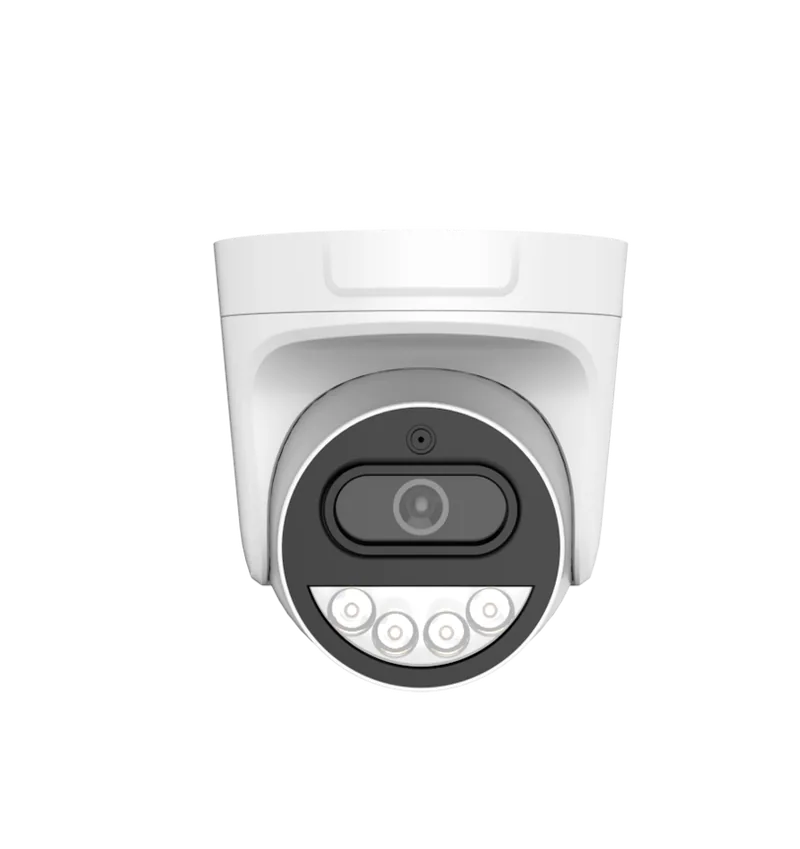
Our building range is FC5B (bullet), FC5D (dome) and FC5P-PTZ (speed dome): 5.0 MP at 2880 × 1620 on a 1/2.7-inch low-light CMOS sensor behind an F1.0 aperture, holding colour to 0.1 Lux, recording H.265+ at 25 fps real time, on PoE switches of 120 W, 250 W or 320 W and recorders of 10 to 64 channels. Those published numbers are what the comparison below is built on.
What does an alternative actually replace?
Separate the chain before you price the swap, because the chain decides what has to change and what can stay. Three decisions matter.
1. Cameras
Cameras are the link people think of first and the easiest to swap, provided the network layer is open. Ours speak ONVIF, RTSP, GB28181, IPv4, TCP/IP, DHCP and P2P over a single 10/100 Mbps RJ45 port, so where an existing recorder also speaks ONVIF or RTSP, new cameras register on it while the old ones keep working and the site degrades one channel at a time. The resolution ladder — 5 MP at 2880 × 1620, 4 MP at 2560 × 1440, 3 MP at 2304 × 1296, 2 MP at 1920 × 1080 — is a lever few buyers use: dropping a corridor or plant-room channel to 3 MP cuts its bitrate and its storage, and nobody watching a door notices.
2. The recorder
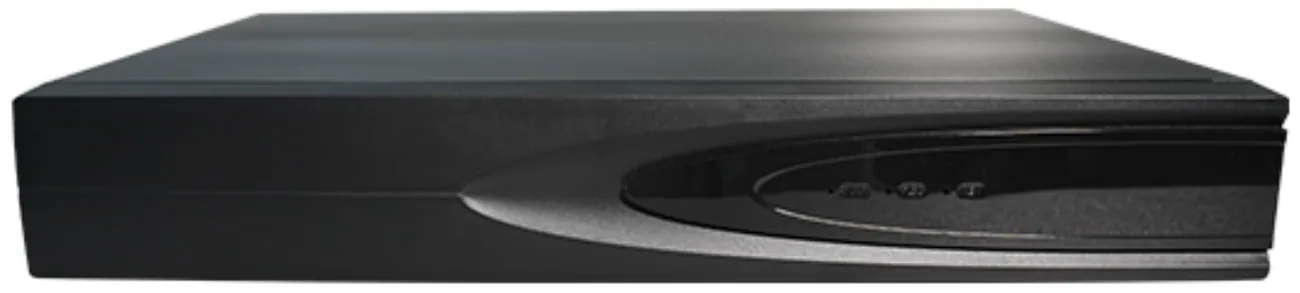
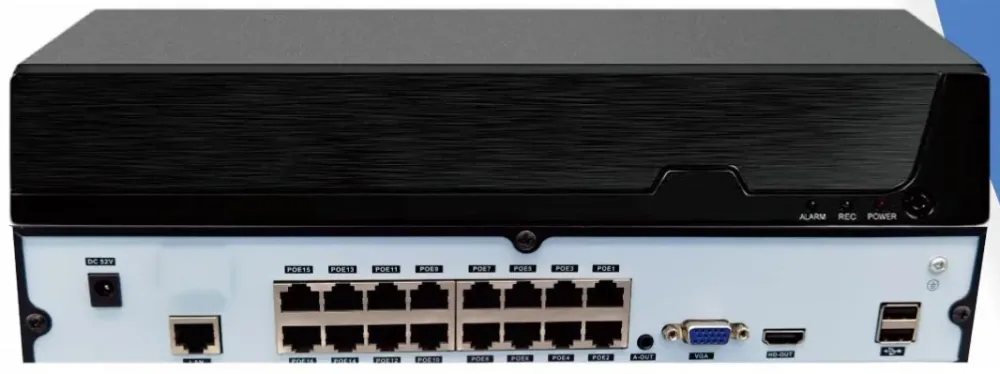
The recorder decides whether a swap is cheap or expensive, because channel count, storage and remote access all live there. The range covers 10, 16, 32, 49 and 64 channels with one, one, two, four and eight drive bays; a bay takes up to 14 TB on the 10 and 16-channel models and up to 18 TB on the 32, 49 and 64-channel models. Ingress bandwidth is 64 Mbps per recorder, the limit people forget until the thirtieth camera. Output is HDMI at 4K or VGA at 1080p, local playback runs two channels of 5 MP at 30 fps, and the local user list holds 38 accounts.
3. The client
The client is what your guards, your facilities manager and your security manager actually touch, and it is the link most often left out of a tender. Recorders and cameras are managed through Seetong Cloud on iOS, Android and Windows, with one-tap NAT traversal and P2P, so remote access needs no fixed public IP and no port-forwarding exercise by your IT contractor. One thing to settle before you commit: the application carries its own name on the app store and cannot be changed, even on an OEM order. OEM branding covers the outer carton, the device case, the channel display page and the boot logo. If an unbranded phone app is a hard requirement, know it now rather than after the order.
Which comparison survives scrutiny?
A brand name is not a specification, and it is the specification your building lives with for the next five to seven years. The table is written as questions, so it can be pointed at our quote as easily as at anyone else’s.
| Function | What our range publishes | What to demand in any quote |
|---|---|---|
| Night image | 5.0 MP on 1/2.7-inch low-light CMOS, F1.0, colour to 0.1 Lux, monochrome at 0 Lux with the IR-cut filter out, H.265+ at 25 fps real time | Minimum illumination for colour and for black and white quoted separately, plus aperture and sensor format — one “0 Lux” line answers none of those |
| Detection and alarm | Motion detection, smart algorithm linkage, OSD overlay, red and blue warning light interface, light board on two PWM channels at 24 kHz | What triggers a recording and what triggers an alarm output, and whether the warning light is switched or fixed |
| Power and cabling | One RJ45 10/100 Mbps port, 6 KV common-mode and 1.5 KV differential surge protection on the network, 1.5 KV on power, DC 12 V 2 A input | Surge figures, adapter rating, and who supplies the switch — 120 W, 250 W or 320 W of PoE budget sized against the camera count |
| Recording and storage | 10–64 channels, 1–8 bays, 14 TB or 18 TB per bay, H.265+, 64 Mbps ingress, HDMI 4K out | Bays and per-bay capacity rather than a single total, plus retention in days; together they decide whether the design fits |
| Compatibility | ONVIF, RTSP, GB28181, IPv4, DHCP, P2P on cameras; TCP/IP, IPv4, DHCP, NTP, RTSP, P2P, SMTP, GB28181, ONVIF on recorders | The exact protocol list, and a written statement that existing equipment will be integrated rather than replaced by default |
What are the three migration routes, and what does each one cost?
Every alternative project is one of three routes. Naming the route before you ask for prices stops two suppliers quoting two different jobs.
Route A — recorder only
The cameras are sound and the recorder is out of support or out of channels. Existing cameras register on a new recorder over ONVIF, RTSP or GB28181, the layout and recording schedule are rebuilt, and the monitor keeps its place. No cable is touched.
Route B — cameras only, cabling and recorder retained
The recorder is current and the cabling is good, but the night image is unusable. Cameras are swapped one at a time and the existing PoE switches keep powering them, provided the budget has headroom and every run is inside the 100 m limit of the network cable. Check the budget first: 120 W, 250 W and 320 W stop being interchangeable once a camera carries a fill light, a warning light board and a 2 W speaker.
Route C — full replacement
A new building, or a site where cabling and power are being renewed anyway. This is the only route where the whole chain is priced at once and a brand decision genuinely covers all five links — and even here, price each link as a row rather than as a lump.
Before any of the three, confirm four things in writing:
- Whether the existing recorder speaks ONVIF, RTSP or GB28181 — if it does, Route B is available and Route C becomes a choice.
- Whether the existing PoE switches publish a total wattage budget, and what it is.
- Whether the cable runs are measured or certified, and whether any run exceeds 100 m.
- How many days of recording the site must keep, because that number decides the drive spend.
Where should you expect the honest limits?
Day-to-day, the detection layer is where behaviour changes: the camera handles motion detection and OSD overlay, and the recorder adds AI detection for faces, plates, people, vehicles and falling objects. Three limits are worth stating before a purchase order rather than after.
- No IP rating on the camera modules. FC5B and FC5D are 38 × 38 mm board-level modules: not weather-sealed, with no IP figure published. Outdoors, protection comes from the housing you specify.
- The app brand is fixed. OEM logo placement covers the outer carton, the device case, the channel display page and the boot logo. It does not extend to the mobile application.
- Colour needs light. Colour is held to 0.1 Lux at F1.0; in genuinely unlit darkness the camera switches to monochrome with the IR-cut filter out and the illuminator on.
How do you run a swap without taking the site down?
- Label every existing run and switch port before anything is unplugged — the cable you cannot identify is the one that will be missed.
- Register one new camera on the existing recorder and run it for a full week, including a weekend. One camera proves compatibility; twenty prove nothing extra until the first one does.
- Recheck the retention calculation with real bitrates from the first week, and only then commit to the final drive purchase.
Send us the bill of materials you have been quoted, or the model list you are running today. We will tell you which links can stay, which have to change, and what each route does to the price — and if the honest answer is that your existing recorder should stay where it is, we will say so.