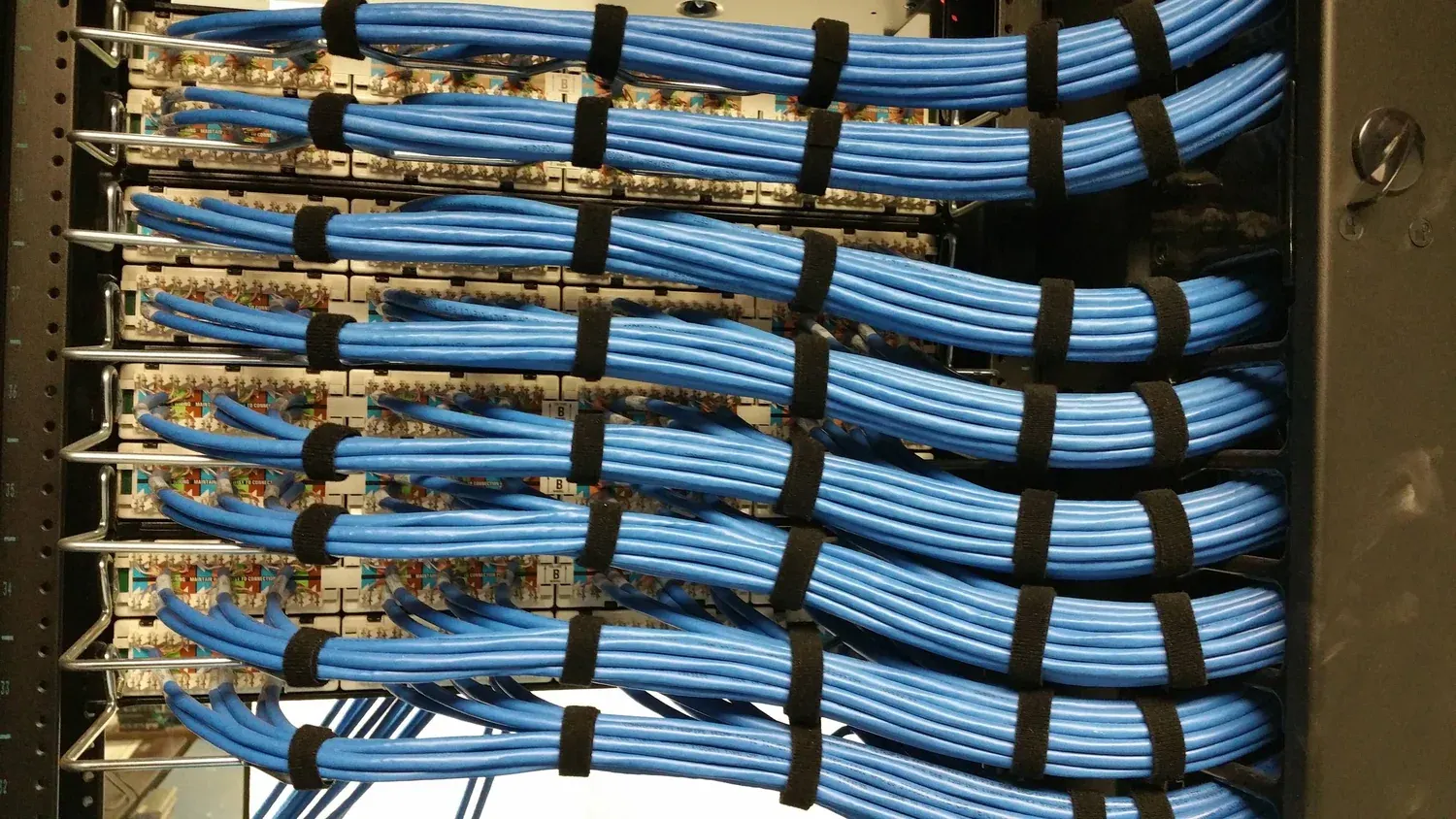
The unusual thing about cable selection for CCTV is that the data rate argument does not apply. Our cameras connect over a single RJ45 port at 10/100 Mbps, so even category 5e carries the traffic with room to spare. That does not make the cable choice irrelevant — it moves the reasons somewhere else: how much power is lost as heat along the run, how the cable behaves next to mains wiring, and whether the link still passes a test after the installer has pulled it through two hundred metres of containment.
This article sets out what actually differs between the two grades in a camera installation, when CAT6 earns its premium, when it does not, and the installation details that decide whether either grade performs.
It applies to any of our PoE switches, from the 8-port PS082 at a 120 W class budget to the 24-port PS242 at 320 W, and to the 250 m Extend mode on the PS series, which changes the cable conversation in a specific and sometimes useful way.
What actually differs between the grades?
| Characteristic | CAT5e | CAT6 | What it means on a camera run |
|---|---|---|---|
| Specified bandwidth | 100 MHz | 250 MHz | Neither is close to being the limit for a 10/100 Mbps camera port; it matters for the backbone and for future use |
| Conductor gauge | Usually 24 AWG | Usually 23 AWG | Thicker conductors drop less voltage over distance, so more of the PoE budget reaches the camera and less becomes heat |
| Construction | Four twisted pairs | Four twisted pairs, often with a central spline and tighter twists | Better immunity to crosstalk and to interference from adjacent cables |
| Channel length limit | 100 m | 100 m | Identical. Neither grade buys you extra distance on a standard PoE run |
| Stiffness and termination | More flexible | Stiffer, slightly harder to dress and terminate | Affects labour time and the risk of a failed termination in a tight ceiling void |
| Cost | Lower | Higher | The gap is small per metre and becomes visible across a large project |
Why is the PoE argument the real one?
Power over Ethernet is defined by the IEEE 802.3 family — 802.3af, 802.3at and 802.3bt — and each step upward pushes more power down the same pair. Some of that power is lost in the cable as heat, and the loss depends on conductor resistance, run length and how tightly cables are bundled: a cable in free air sheds heat, while a bundle of thirty cables zipped into a conduit does not.
This is where CAT6 has a genuine technical advantage in a camera system, and it has nothing to do with bandwidth. Larger conductors mean lower resistance, which means less voltage dropped along the run and less heat generated in the bundle. On short runs the difference is negligible. On a 90 m run at the top of a switch’s budget, in a bundle, it is not: the camera at the end of the longest cable is the one that reboots on hot nights, and the cause is usually the cable rather than the camera.
The practical rule for a commercial building is simple. New installation, full PoE budget, runs over about 60 m, or cabling that will outlive two generations of camera: use CAT6. Existing sound CAT5e that already carries camera traffic: leave it alone and spend the money on a camera, a better switch position or another drive bay.
What does extend mode really change at 100 m?
Standard PoE over network cable is limited to 100 m end to end, and no cable grade changes that. What changes it is a switch feature, and it comes with a trade-off that belongs in the design rather than in a footnote.
On the PS series, setting the VLAN DIP switch to ON enables 250 m Extend mode: the link speed drops to 10 Mbps and the ports are isolated from one another. Ten megabits is ample for one camera stream, so a distant point on a boundary or a far corner of a warehouse can be served without an intermediate cabinet. What you give up is link speed — so extend mode is wrong for an uplink, wrong for a second switch and wrong for a wireless access point. On the 24G02GS-P, the VLAN function is fixed at 0–100 m isolation instead, with no extend mode at all.
How do you estimate cable quantity without under-buying?
Cable is the cheapest line in the bill and the most annoying to reorder halfway through an installation. The estimate method is the same one used for the rest of the system:
average run length × number of runs × 1.15 = metres to order
The 1.15 factor covers routing slack, vertical drops and the difference between the shortest path on the drawing and the path the containment actually takes. Then add a service loop of about three metres at every camera for termination and re-termination, and remember the runs that are not cameras: the uplink from each switch back to the recorder or the core. A floor with fourteen cameras on one switch needs fifteen runs, not fourteen.
Which installation details decide whether either grade works?
- Bend radius. A cable kinked around a sharp corner is a cable that fails a test, whichever grade it is. Containment should follow the manufacturer’s minimum radius, and the installer should be told it will be inspected.
- Separation from mains. Camera runs that share a tray with power circuits pick up noise; crossing mains at right angles is standard practice and costs nothing at design stage.
- Ties. Cable ties tightened until the jacket deforms change the geometry of the pairs. Snug, not clamped.
- Termination. Follow one wiring scheme consistently across the site. Mixing schemes between cabinets is a classic source of a link that tests badly for no visible reason.
- Test after termination. Every run, before the ceiling goes back. Our cameras include 6 KV common-mode and 1.5 KV differential surge protection on the network port and 1.5 KV on power, which protects against surges, not against a badly crimped connector.
- Label both ends. The camera you cannot identify is the camera that will be missed in an incident review.
If you send us the floor plan with camera positions and the switch locations, we will estimate the cable metres with the loss factor applied and flag any run that will not make 100 m on a standard port. If the honest answer is that a second small switch is cheaper than the extra cable and labour, we will say so.
