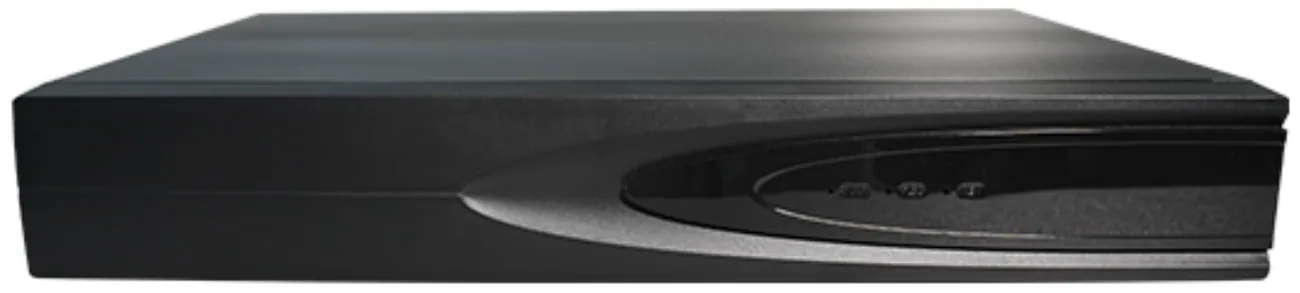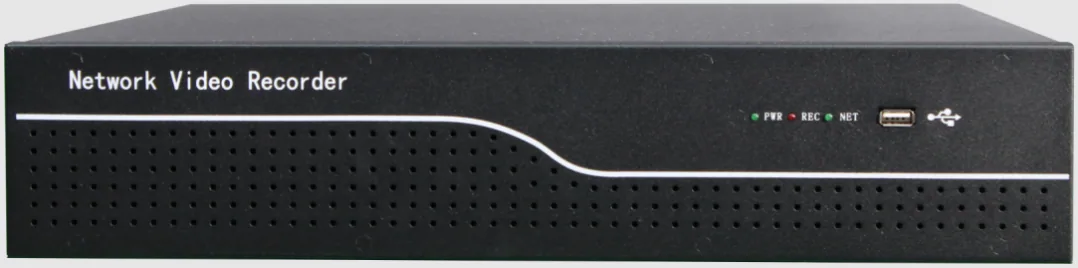
Choosing a network video recorder looks like a choice between channel counts, and it is really three decisions at once: how many cameras the unit can register, how much storage it can hold, and how much video it can accept over the network at the same time. Buy on channel count alone and one of the other two will find you — usually on the day the retention period is first tested.
The method below takes twenty minutes and needs three inputs from the site: the camera count, the resolution each channel will record at, and the number of days the recording has to be kept. Everything else is arithmetic on our published figures: 10 to 64 channels, one to eight drive bays, up to 14 TB per bay on the 10 and 16-channel units and up to 18 TB per bay on the 32, 49 and 64-channel units, 64 Mbps of ingress bandwidth, and H.265+ recording.
One framing point before the detail: channels are cheap and re-cabling is expensive. If a second phase is likely, buy the recorder channels and the switch ports now, even if the cameras come later.
What actually changes between 16, 32 and 64 channels?
The channel count is the headline, but the rows that matter most are the ones underneath it — bays, per-bay capacity and the resulting raw storage ceiling. Raw capacity is bays multiplied by per-bay capacity, before any allowance for the fact that drives should not be filled to the last byte.
| Model | Channels | Bays | Per bay | Raw ceiling | Where it fits |
|---|---|---|---|---|---|
| 10-channel NVR | 10 | 1 | 14 TB | 14 TB | A single floor, a small building, or a site with a short retention period |
| 16-channel NVR | 16 | 1 | 14 TB | 14 TB | Up to 16 cameras at moderate resolution and 30 days, or fewer channels with a longer retention |
| 32-channel NVR | 32 | 2 | 18 TB | 36 TB | The common commercial building: 20 to 26 cameras with room for a second phase |
| 49-channel NVR | 49 | 4 | 18 TB | 72 TB | Sites that want long retention on a mid-sized camera count |
| 64-channel NVR | 64 | 8 | 18 TB | 144 TB | Large or multi-block sites, or very long retention with high resolution |
When does ingress bandwidth become the limit?
Ingress bandwidth is the number that catches people out, because it is shared across every channel the recorder is recording rather than allocated per channel. Our recorders accept 64 Mbps. Divide it by the channel count and you get the average bitrate each channel can use:
- 16 channels: 4 Mbps per channel
- 32 channels: 2 Mbps per channel
- 64 channels: 1 Mbps per channel
Now compare that with what a 5 MP camera can produce. Our main stream runs from 500 to 8000 kbps depending on scene, movement and the settings you choose — colour and headlights in a car park push towards the top of that range, an empty corridor overnight sits near the bottom. A 64-channel recorder filled with 64 busy 5 MP cameras at 4 Mbps each would need 256 Mbps of ingress, which is four times what the unit accepts. The recorder would either refuse channels, drop frames or quietly reduce bitrate, and none of those outcomes is a conversation you want to have after handover.
The honest design rules that follow are straightforward: plan on 16 to 24 channels of 5 MP per recorder rather than filling it, use the sub stream and lower resolutions where detail does not matter, and split a large site across two recorders rather than buying the biggest one available. Two 32-channel recorders also give the site a second unit that can be serviced or rebooted without losing every camera at once.
How does the storage calculation work?
Storage reduces to one line, and it is worth writing on the whiteboard in front of the client:
GB per day per channel × channels × retention days ÷ 1024 = terabytes required
A 5 MP channel at H.265+ typically sits between 8 and 15 GB per day. Two examples show how the same requirement can be met from either end of that band:
- 24 channels at 10 GB per day for 30 days: 24 × 10 × 30 = 7,200 GB, about 7.0 TB — inside a single 14 TB bay on the 16-channel recorder, though that leaves no second bay.
- 16 channels at 15 GB per day for 30 days: 16 × 15 × 30 = 7,200 GB, about the same 7.0 TB — the identical requirement from fewer, busier channels.
Push the first example to 90 days and the requirement becomes 24 × 10 × 90 = 21,600 GB, about 21.1 TB. That is more than one 18 TB bay can hold, so it needs both bays of a 32-channel recorder — or a lower resolution on some channels, or a shorter retention period. This is why retention is negotiated at the start of a project and not at the end: three times the days means three times the drives.
What else about the recorder decides the install?
Storage and channels get the attention, but four other groups of specifications decide whether the installation goes smoothly.
- Display and layout. HDMI output at 4K (3840 × 2160) and VGA at 1920 × 1080, with live view layouts of 1, 2, 4, 6, 8, 9, 10 and 16 screens. Local playback runs two channels at 5 MP and 30 fps, so a supervisor can compare two views of the same incident side by side.
- Detection. AI detection covers faces, plates, people, vehicles and falling objects, and alarms can be linked to motion detection, to an IO contact or directly to an AI event to start recording on a channel that is otherwise recording on a schedule.
- Users and remote access. Up to 38 local user accounts, and remote access through Seetong Cloud on iOS, Android and Windows. Protocols include TCP/IP, IPv4, DHCP, NTP, RTSP, P2P, SMTP, GB28181 and ONVIF, which is what allows the recorder to sit alongside other equipment rather than replacing it.
- Environment and power. An AC 100–240 V adapter delivering DC 12 V 4 A, power consumption under 3 W excluding drives, and an operating range of -10 °C to +55 °C. In an unairconditioned plant room or a rooftop cabinet, that last figure matters more than any camera specification.
How do you plan retention — and the drive failure?
Two practical points are worth agreeing in writing before drives are purchased.
The first is capacity discipline. A recorder with 36 TB of raw capacity does not offer 36 TB of retention, because drives need headroom and because the retention calculation is an estimate until real bitrates are measured on site. Leave at least a fifth of the raw capacity unused at the start, and recheck after the first full week of recording.
The second is failure. This range does not publish RAID levels, so we will not pretend to a redundancy figure we cannot quote you: if a single drive failure must not lose any recording, tell us when you specify the recorder, and we will tell you exactly what the model you are ordering supports and how the bays should be populated. The alternative, cheaper mitigation is to plan retention so that a failure loses the oldest days rather than the recent ones — but that is a decision for the client, not for the installer on the last day of the job.
What does the sizing walkthrough look like?
- Count the camera positions and add ten to twenty per cent headroom for the phase nobody has mentioned yet. That is your channel count.
- Choose the recording resolution per channel from the ladder — 5 MP at 2880 × 1620, 4 MP at 2560 × 1440, 3 MP at 2304 × 1296, 2 MP at 1920 × 1080 — and be honest about which positions actually need the top of it.
- Estimate GB per day per channel from the 8 to 15 GB band, then apply the retention requirement in days.
- Convert to terabytes, divide by 1024, and compare the result against the bays and per-bay ceilings in the first table.
- Check the ingress budget: total main-stream bitrate across all channels has to sit inside 64 Mbps, or the design needs a second recorder.
- Decide the drive population with the failure question already answered.
Send us the camera list, the resolutions and the retention period and we will return the channel count, the bay configuration and the storage figure, with the ingress arithmetic shown so you can check it. If a 16-channel unit turns out to be the honest answer, that is what we will quote.